


My Town : Fire station Rescue
4.355.00 Reviews
App Specs
- Version
- 7.03.06
- Updated On
- License
- $4.49
- Downloads
- 10,000+
- Developer
- My Town Games Ltd
- Categories
- Educational
- Platform
- Android
Screenshots
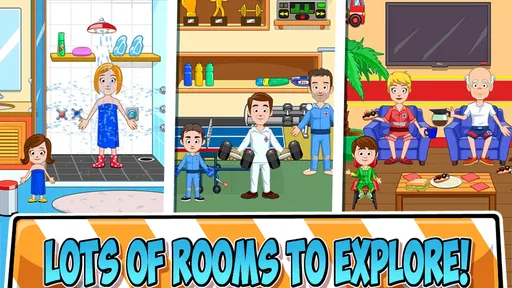
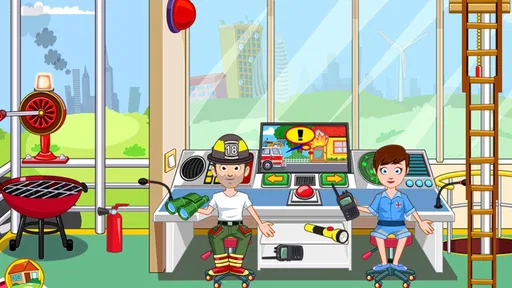
 Analysis by AppCompare
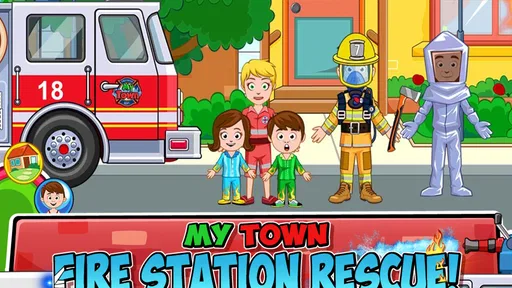
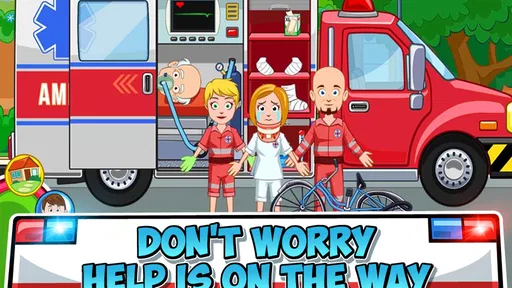
I spent time with My Town: Fire Rescue as a child-friendly emergency-play game, and my first impression was clear: it is less about winning a difficult challenge and more about giving children a bright, open setting where they can invent rescue stories. You can move between firefighter-themed spaces, choose characters, handle objects, and build small scenes around the idea of helping people. That makes it approachable for younger players who enjoy pretend play but still want a recognizable theme.
The game is made by My Town Games Ltd and sits in the educational category. Its central appeal is easy to understand from the moment you begin: everyone gets a chance to act like a hero and save the day. I found that the strongest part is not a complicated mission structure, but the freedom to decide what happens next. A child can play out a quick rescue, arrange a longer story with several characters, or simply explore the locations and interact with whatever catches their attention.
How the rescue-play experience works in everyday use
The basic workflow is pleasantly simple. I start by choosing a character, looking around the available rooms and areas, and dragging people or objects into a scene. There is no need to learn a long rulebook before playing. That matters for children who may become frustrated when a game begins with instructions, menus, or timed objectives.
A typical session might begin with a pretend emergency, followed by moving a character into position, checking the surroundings, and creating a solution through play. The child is not pushed toward one correct answer in the same way as a traditional educational quiz. Instead, the learning comes through sequencing, role-play, language, and cause-and-effect thinking. A player can decide who needs help, who responds, and what the next part of the story should be.
I especially liked how suitable the game is for shared play. An adult can ask questions such as “Who noticed the problem first?” or “What should the rescue team do before leaving?” Those prompts turn a simple touch-based activity into a conversation about planning and cooperation. Older siblings can also help younger children arrange scenes without taking over the whole experience.
That said, this is important: the game should not be mistaken for a realistic fire-safety course. The emergency theme provides a setting for imaginative play, but it does not replace direct guidance from parents, teachers, or local safety services. I would use it as a starting point for talking about asking adults for help, staying calm, and following instructions, rather than presenting it as formal training.
The game is rated for Everyone, which fits its gentle presentation and accessible controls. In my experience, the main challenge is not difficulty but keeping the play session purposeful. A child who likes making up stories will find plenty to do, while a child who expects constant rewards, levels, or competition may wonder what they are supposed to complete.
Worth Reading Before You Choose

EA SPORTS FC Mobile 26 Is a Bigger Football Game, but It Takes Time

Flipboard Shows What News Apps Must Do Beyond the Feed

Switching to Android Auto Means Rethinking Your Driving Routine

Google Calendar Makes a Crowded Week Easier to Manage

Ludo King Makes the Most of the Minutes Between Plans

Baby Panda World Brings Quick Play to Modern Phones, but Its Game Library Feels Busy
Why the open-ended format works for some children
Open-ended play gives children room to repeat the same scenario while changing one detail at a time. One session can focus on finding the problem, another on organizing the characters, and another on telling the story aloud. That repetition is useful because it lets a child practice planning without feeling tested.
There is also a practical language benefit. When a child explains why a character moved, what happened first, or how the rescue ended, the game becomes a prompt for storytelling. I found this more valuable than simply watching a character perform an animation. Parents can encourage fuller sentences by asking the child to describe the beginning, middle, and end of the scene.
The trade-off is that the child has to supply much of the imagination. If you want a game with a clear campaign, increasingly difficult puzzles, or a strong sense of progression, this will feel lightweight. It is closer to a digital toy box than to a conventional educational challenge game.
Settings and preparation that make sessions smoother
Before handing the device over, I recommend checking the device’s general sound, notification, and screen settings. The game itself is easier to enjoy when interruptions are reduced, especially during shared storytelling. A child who is trying to follow a rescue sequence can lose the thread when unrelated alerts appear over the play area.
It is also worth checking the device’s available storage and operating-system compatibility before buying. The game requires Android 8.0 or later, so older devices may not be suitable. On a supported device, I would still close demanding apps if the phone or tablet is dated, because smoother dragging makes a meaningful difference for younger players.
The listed price is $4.49, so I see it as a purchase for a particular kind of play rather than an app to install casually for every child. If your child already enjoys the My Town style of character and location play, the fire-rescue theme gives that format a clear focus. If they prefer structured lessons, a dedicated educational app with exercises and progress tracking may offer better value.
Because the age rating is Everyone, the game is easy to consider for family use, but the rating alone does not tell you whether the play style matches your child. I would watch the first session and see whether the child naturally creates stories, explores independently, or keeps looking for a button that announces the next task. That observation answers the value question better than the rating does.
Repeatable habits for faster, more imaginative play
Experienced users can make the open-ended format feel more organized by using a repeatable routine. I like starting with a short “briefing”: choose the characters, decide what happened, and name the first action. Then the child carries out the scene instead of dragging items randomly. This takes less than a minute but gives the session a sense of direction.
A second useful habit is to change only one element during a replay. Keep the same emergency idea but switch who discovers it, or keep the same characters but change the order of actions. This turns repetition into a simple planning exercise. It also helps a child notice that different choices can lead to different stories, even when the setting stays the same.
Another effective pattern is to separate play into three short stages: discovery, response, and explanation. During discovery, the child identifies the problem. During response, the characters act. During explanation, the child tells an adult what happened. This approach uses the game as a storytelling tool and avoids the common problem of a session ending as soon as the child has moved every character once.
For younger players, I would keep the number of characters small at first. Too many figures and objects can make the scene difficult to follow. Once the child understands the spaces and controls, adding more characters can support a larger story. The aim is not to fill every area; it is to make the actions understandable.
Short sessions also work well. A child does not need to remain in the game for a long stretch to benefit from it. A focused scenario followed by a conversation can be more satisfying than extended wandering. This is one of the strongest ways to use the app alongside family time rather than treating it as background entertainment.
Where it differs from ordinary educational games
Compared with alphabet, mathematics, or spelling apps, this game teaches indirectly. It does not put a worksheet on the screen or ask the player to select a correct answer. Its educational value comes from role-play, ordering events, vocabulary, and social imagination. That makes it a better fit for children who learn through acting out situations than for children who want immediate feedback on a specific school skill.
Compared with a standard action game, it is calmer and more forgiving. There is no need to master fast reactions or defeat opponents. The fire-rescue theme may sound dramatic, but the experience is primarily about creating scenes rather than handling pressure. Families looking for a competitive challenge should choose something else, while families wanting gentle pretend play may appreciate this difference.
It also differs from physical firefighter toys. A real toy set can be used away from a screen and may encourage larger movement, while this game makes it easy to reset a scene and try another version. The digital format is convenient, but it can also make play feel less tactile. I would not treat one as a replacement for the other; they support different kinds of imagination.
The game has reached over ten thousand installs and holds a 4.3 average from roughly four hundred ratings, with around fifty-five written reviews. Those figures suggest that it has found an audience, but they do not guarantee that every child will enjoy its open-ended design. I would pay more attention to the child’s preferred play style than to the rating alone.
Limits that become clearer with regular use
The biggest limitation is the lack of a strong completion loop. After the novelty of the rescue setting fades, children who need goals may run out of motivation. There is no reason to expect the same kind of escalating challenge found in puzzle games or lesson-based apps. The experience depends on the player, or the adult, supplying new situations.
The second limitation is that imaginative freedom can become aimless. A child may move characters around without building a story, especially when playing alone. My practical solution is to offer one simple prompt rather than a long explanation: “Can you show me how the team helps?” That keeps the activity open while giving the child a starting point.
Parents should also consider the emotional response to the theme. Some children enjoy rescue stories, while others may find fire-related scenarios uncomfortable. The game’s playful presentation makes it approachable, but a child’s personal reaction matters more than the label. If the theme causes worry rather than curiosity, a less dramatic pretend-play app would be a better choice.
Device handling is another small consideration. Dragging characters and objects is straightforward, but very young children may still need help with precise placement or understanding which parts of the scene are interactive. A tablet can provide more room than a small phone, particularly when several people are looking at the screen together.
The current version is 7.03.06, and the game was released on March 1, 2017. I mention that because this is an established title rather than a brand-new experiment, but the important question remains how well its simple play style fits your expectations today. If you want modern progression systems or frequent competitive content, its intentionally uncomplicated approach may feel dated. If you want a dependable digital pretend-play space, that simplicity can be a strength.
Who should install it, and who should skip it?
I would recommend it to parents looking for a gentle educational game that encourages storytelling and role-play. It is also a good option for a child who enjoys arranging characters, repeating familiar scenarios, and making decisions without being judged as right or wrong. Teachers or caregivers could use it as a conversation prompt, especially when discussing teamwork and the order of events.
I would be more cautious if your main goal is reading practice, arithmetic, factual fire-safety instruction, or measurable academic progress. This is not the tool I would choose for those needs. A focused learning app will usually provide clearer exercises and feedback, while a physical activity may be better for practicing actual safety behavior.
Adults deciding whether the price is worthwhile should think about replay habits rather than the length of one session. If the child returns to imaginative games regularly, the rescue theme can support many short stories. If the child quickly abandons games without levels or rewards, the purchase may not hold attention for long.
For a first session, I suggest playing together for a few minutes, demonstrating one simple story, and then letting the child change it. Watch whether they begin making their own choices. That is the clearest sign that the game is doing what it is designed to do.
My final view after using the rescue setting
My Town: Fire Rescue works best when I treat it as a digital stage for pretend play, not as a demanding game with a finish line. Its controls and theme are accessible, its Everyone rating makes it easy to consider for family use, and its fire-rescue setting gives children a familiar framework for inventing helpful, cooperative stories.
I appreciate the way a simple routine can make it more rewarding: set the scene, choose a small cast, act out the response, and ask the child to explain what happened. That habit adds structure without taking away freedom. It also reveals the game’s real educational value, which is found in planning, communication, and imaginative sequencing rather than formal lessons.
My reservation is equally straightforward. Children who need constant goals, competition, or visible progress may find the experience shallow after the first wave of curiosity. The game also should not be used as a substitute for real safety instruction. Those limits are not deal-breakers, but they should shape your expectations before spending the money.
Overall, I think the game is a worthwhile choice for a child who likes My Town-style storytelling and wants a rescue-themed setting for open-ended play. I would recommend it most strongly for shared sessions, where an adult can turn each scene into a small conversation about teamwork and decisions. If that sounds like the kind of play your family already enjoys, this is a focused and friendly addition; if you want structured education or a challenging game, another category will serve you better.
Pros
- Interactive fire station setting encourages imaginative role-play.
- Multiple characters and outfits make stories easy to customize.
- Simple controls are suitable for younger children.
- Offline play is convenient for travel or limited internet access.
- Bright visuals and animations keep the rescue scenarios engaging.
Cons
- Some areas or items may require additional purchases to unlock.
- Open-ended gameplay may feel repetitive after extended play.
- Limited challenge may not satisfy children seeking structured missions.
- Frequent tapping can become tiring during longer play sessions.
- The game may use considerable storage on older devices.
FAQs for My Town : Fire station Rescue
What is My Town: Fire Station Rescue about?
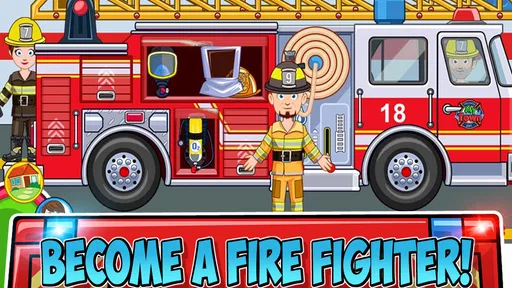
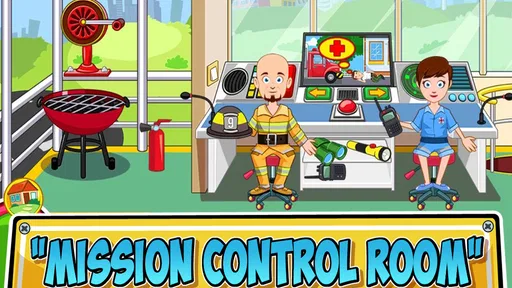
My Town: Fire Station Rescue is a child-friendly role-playing and storytelling game centered on life at a fire station. Players can explore different rooms, interact with firefighters, prepare emergency vehicles, and create their own rescue scenarios. There is no fixed story that must be completed, so children can freely invent adventures involving fires, rescues, training exercises, and everyday activities at the station.
Is My Town: Fire Station Rescue suitable for children?
The game is designed primarily for children, especially those who enjoy imaginative play, exploration, and creating stories with characters. Its colorful visuals and simple tap-based controls make it easy to understand, while the open-ended gameplay encourages creativity. Parents should still review the age rating and device settings, because suitability can vary depending on a child’s age, sensitivity to emergency themes, and familiarity with mobile games.
What can players do inside the fire station?
Players can explore several fire-station areas and interact with objects, characters, and emergency equipment. Depending on the available version and content, activities may include dressing characters as firefighters, preparing a fire truck, using rescue tools, responding to emergencies, and relaxing in station rooms. The main appeal is experimenting with objects and characters to build personal stories rather than following a strict mission system.
Does My Town: Fire Station Rescue require an internet connection?
The core gameplay is generally intended to work offline after the application and its necessary content have been installed. This makes it convenient for travel or situations without Wi-Fi. However, an internet connection may be needed for downloading the game, installing updates, restoring purchases, or accessing certain store-related features. It is best to launch the game once while connected before giving it to a child offline.
Are there in-app purchases or advertisements in My Town: Fire Station Rescue?
Availability of advertisements, optional purchases, and other monetization features can depend on the platform, edition, and current store configuration. Before downloading, parents should check the official Google Play or App Store listing for the latest details. If the device is shared with a child, enabling parental controls and requiring authentication for purchases is recommended, even when the game itself appears simple and child-friendly.


